Optimization Level
Swift compiler has 3 optimization options (link)
-
-O
-
for product code
-
-
-Onone
-
for development and debugging mode.
-
-
-Osize
-
for size optimization over the optimizing code
-
How to compile swift with optimization level?
Here is a simple swift code for checking execution time. (main.swift)
import Foundation
func sum(from: Int, to: Int) -> Int {
    var result = 0
    for i in from...to {
        result += i
    }
    return result
}

let startTime = Date()
let result = sum(from: 1, to: 10000000)
let endTime = Date()

print("Result: \(result)")
print("Calculation Time: \(endTime.timeIntervalSince(startTime)) seconds")
Compiled it with -Onone
swiftc -Onone main.swift && ./main//Result
Result: 50000005000000
Time: 1.4896910190582275 secondsCompiled it with -O
swiftc -O main.swift && ./main//Result
Result: 50000005000000
Time: 0.006083011627197266 secondsResults
-O option is 24,389% faster than -Onone option
Check SIL file
swiftc -O main.swift is generating executable file. It is not a human readable file. The optimization process transforms the source code into machine code, which is the binary code that can be executed directly by the computer.
Do you want to see the intermediate representation of the Swift code generated during the optimization process?
You can use the -emit-sil flag with the swiftc command. This will output the SIL (Swift Intermediate Language) code generated by the compiler, which is a human-readable representation of the Swift code that has been optimized
swiftc -O -emit-sil main.swift -o main.silswiftc -Onone -emit-sil main.swift -o main.sil
You can see the main.sil file. Let’s open it using TextEdit
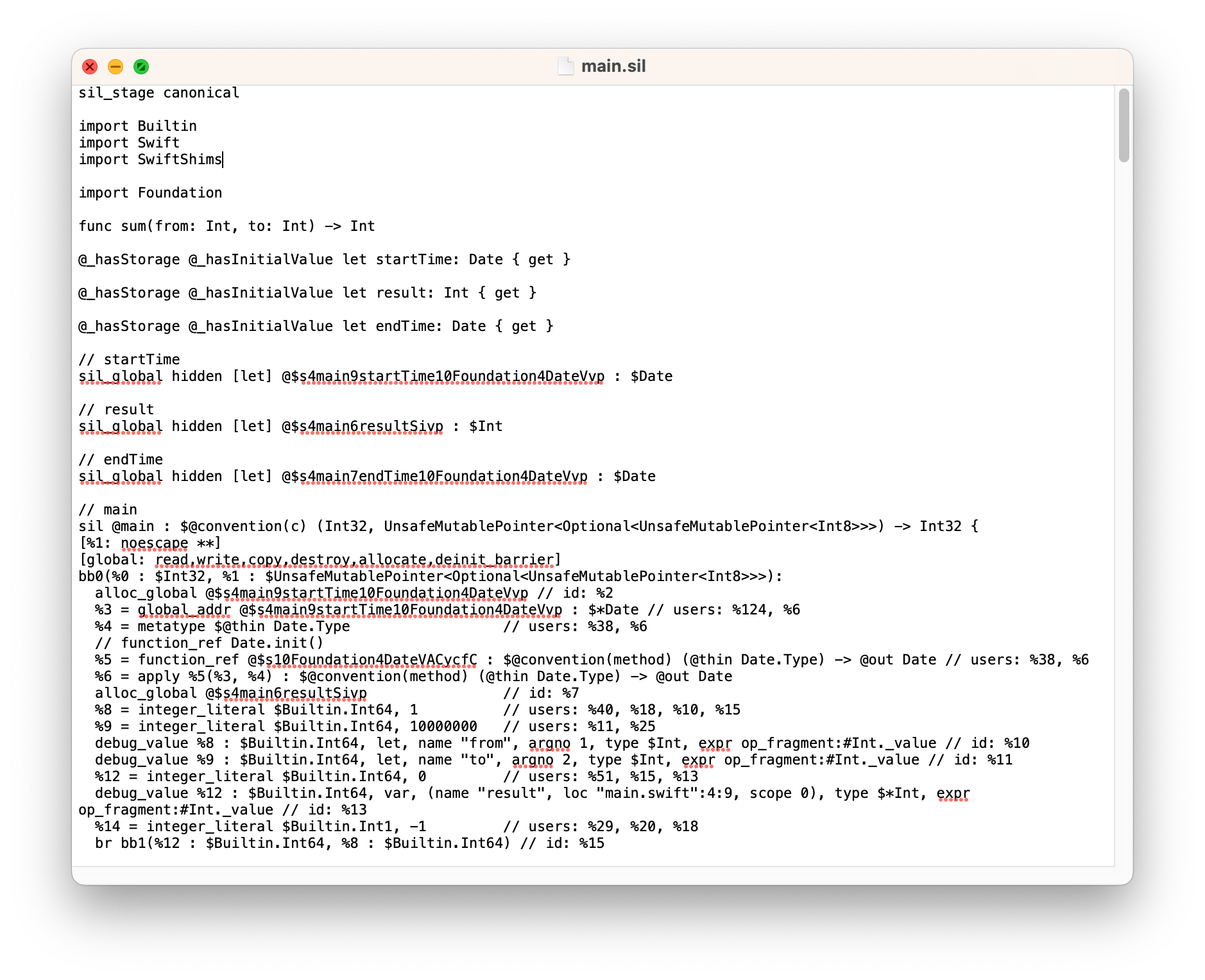
Now we can see the details by checking sil file. If you want to learn more about it visit here
Conclusion
I wanted to test how Swift’s optimization levels work, so I used the -emit-sil option to generate an SIL (Swift Intermediate Language) file. This file serves as a bridge between the Swift source code and the machine code, and allows the Swift compiler to perform optimizations such as dead code elimination, constant folding, inlining, and loop unrolling. By inspecting and analyzing the SIL file, we can better understand how the Swift compiler is optimizing our code. Additionally, SIL can be used for debugging purposes since it provides a more detailed and low-level view of the generated code compared to the original Swift source
Notes
This blog post has been edited using ChatGPT to refine some of the sentences
 Shawn
Shawn 